Back to Listro

Release notes

Listro Changelog

See what is new in Listro, including useful features, noticeable improvements, and fixes that make the app work better.

Latest releasev1.5
Date2026-08-23
2026-08-23

v1.5

Listro v1.5 introduces an interactive 24-hour day timeline, priority-aware recommendations, natural-language Quick Add, smoother floating navigation, and more dependable widgets, routines, recurring tasks, alarms, and notifications.

Visual time-blocking and smarter task planning update

Added

  • Added an interactive 24-hour timeline in the Calendar tab for visual time-blocking, scheduled tasks, multi-line details, and automatic free-time gap calculations.
  • Added Low, Medium, and High priority choices on the home screen for intelligent, priority-matched task recommendations.
  • Added natural-language Quick Add so phrases such as "Gym tomorrow at 7am p:1 #Health" can automatically set dates, times, priorities, and projects.
  • Refined the floating navigation bar with an optical dissolve effect so scrolling content fades smoothly without cluttering or bleeding behind the navigation dock.
  • Added 10 essential interactive onboarding tasks and a realistic daily schedule to the Focus & Routines project.

Improved

  • Improved live widget synchronization so home-screen widgets immediately reflect scheduled task times and timeline updates.
  • Improved habit and recurrence reliability so completing recurring tasks in the timeline automatically creates the next scheduled habit.
  • Improved alarm and notification management with timely alerts and automatic cancellation when a task is completed from any screen.
2026-08-14

v1.4

Listro v1.4 updates Google Play billing compatibility and includes bug fixes and performance improvements.

Billing compatibility and stability update

What's New

  • Updated Google Play Billing Library to 9.1.0 for current Play billing compatibility.
  • Fixed bugs and improved performance.
2026-07-07

v1.3

Listro v1.3 introduces private Smart Suggestions, adds a Settings toggle for recommendations, and makes Premium upgrade choices clearer.

Smart Suggestions and Premium upgrade flow update
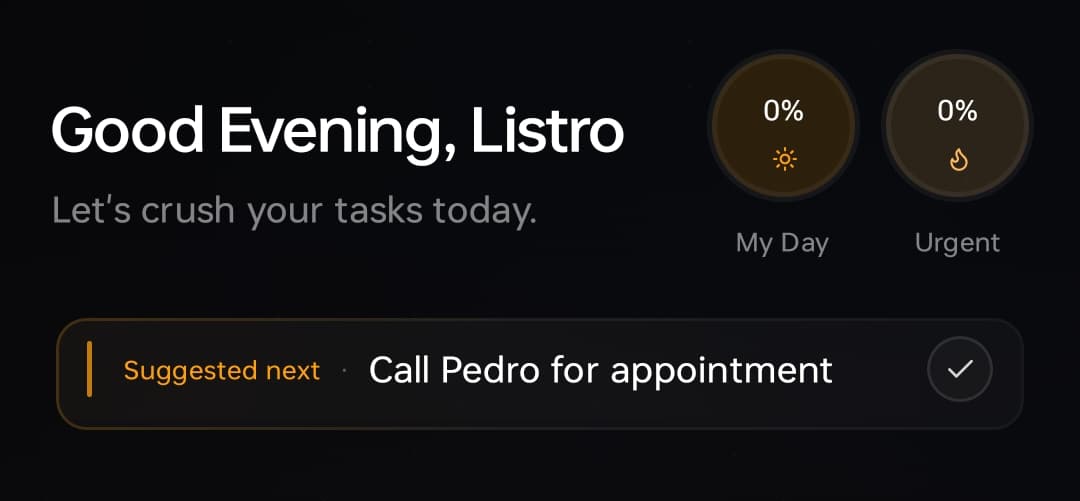
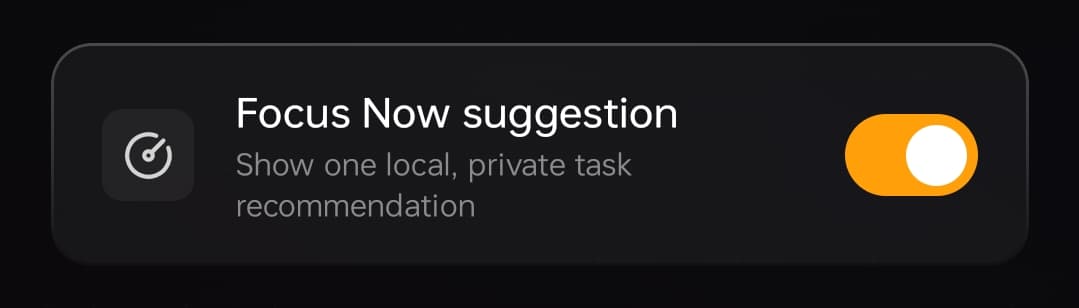
Listro home screen showing a compact Suggested next Smart Suggestion chip below the greetingListro Settings screen showing the Focus Now suggestion toggle enabled

Added

  • Added Smart Suggestions, a fully local Suggested next task chip on the home screen.
  • Added a Settings toggle to enable or disable Smart Suggestions.
  • Suggestions consider urgency, energy, and your recent task habits.
  • Smart Suggestions work privately on your device.

Improved

  • Refined the Smart Suggestion UI into a compact glass chip that sits below the greeting without replacing the task list.
  • Excluded tutorial Getting Started tasks from Smart Suggestions while keeping them visible in the normal list.
  • Replaced locked Premium dialogs with contextual upgrade sheets.
  • Added direct 3-day trial, lifetime Premium, and restore CTAs to Premium lock moments.
  • Expanded the Settings Premium card by default so purchase options are immediately visible.
  • Tightened task card density and metadata layout so more tasks stay visible while preserving the dark glass style.
  • Added a clear collapse control and cleaner editor layout for expanded task cards.
2026-06-15

v1.2.3

Listro v1.2.3 expands Premium with a lifetime purchase option, opens more widget access for free users, adds community prompts, and introduces voice task capture through Android App Actions.

Premium, widgets, community, and voice capture update

Premium & Offers

  • Added a Google Play one-time lifetime Premium purchase option.
  • Added support for the lifetime launch discount offer.
  • Kept accent color presets free while reserving only the custom accent color picker for Premium users.

Widgets & Free Access

  • Made Today Focus and Quick Add widgets available to free users.
  • Kept Needs Attention and Weekly widgets as Premium features.
  • Limited free users to 3 projects.

Community

  • Added a Telegram community card in Settings.
  • Added a weekly community reminder that opens the Listro Telegram community and stops after the user joins.

Voice Capture

  • Added Google Assistant and Gemini voice task capture through Android App Actions.
2026-06-06

v1.2.2

A focused hotfix for the v1.2 release line that fixes a project creation issue.

v1.2 hotfix

Fixed

  • Fixed a project creation bug.
2026-06-06

v1.2.1

A focused hotfix for the v1.2 release line that improves widget loading reliability across devices.

v1.2 hotfix

Fixed

  • Fixed widgets not loading on many devices.
2026-06-05

v1.2

Listro v1.2 refreshes task editing, project management, widget customization, completed-task tracking, and calendar reliability.

Task editing, projects, widgets, and quality update

Major Changes

  • Redesigned task editing flow: editing a task now opens a focused task editor instead of showing the unnecessary Task/Project switcher.
  • Redesigned task option sheets for Repeat, Due Date, Remind Me, Priority, and Project with clearer copy, better spacing, accent-color support, and keyboard-safe layouts.
  • Calendar tasks are now editable: long-pressing a task in Calendar opens edit/delete actions.
  • Improved project management: Create Project and Edit Project now share the same polished bottom-sheet UI, with a richer folder color picker.
  • Project colors now properly reflect on project folder icons and project chips instead of always using the app accent color.
  • Added smarter widget customization: widgets now support transparency, richer accent colors, and a custom color picker.
  • Reworked widget completed tasks: Today, Needs Attention, and Weekly widgets now keep active tasks visible and add an expandable Completed Tasks section at the bottom.
  • Added completed-task tracking by completion date, so widgets can show tasks completed today or on the selected day.
  • Added a gentle in-app Play Store review prompt with smart eligibility and safety guards.

Fixes & Quality

  • Fixed orange hardcoding in key selection states so Repeat, Remind Me, Due Date, and task editor controls follow the selected app accent color.
  • Fixed due date picker overlap/year-selection issues with a compact custom calendar.
  • Improved new project creation from task editors so newly created projects can be selected correctly.
  • Added a Changelog row in Settings, placed with the About/Feedback section.
2026-05-21

v1.1

This update improves Premium subscription reliability, restore messages, Settings, and onboarding for new users.

Production subscription and restore release

Improved

  • Improved the Premium subscription and restore experience.
  • Added clearer messaging for active, restored, and unavailable Premium access.
  • Refined the Premium member UI for a cleaner Settings experience.
  • Improved onboarding tutorial tasks for new users.

Fixed

  • Fixed subscription access detection and restore reliability.
2026-05-21

v1.0.0

Listro's first production release brought the local-first productivity foundation together with AI daily tasks, projects, habits, logbooks, widgets, calendar planning, and optional private Google Drive backup.

First production release

Added

  • Added AI-powered daily tasks, projects, habits, and logbooks.
  • Added Ghost Bento task creation with rapid-fire capture.
  • Added smart chips for priority, tags, and project assignment.
  • Added quick snooze, subtasks, calendar view, and local-first privacy.
  • Added optional private Google Drive backup.
2026-05-09

Beta v3.8

A focused follow-up release for Beta v3.7 that improves calendar deletion, logbook polish, notification settings, and beta pioneer recognition.

Bug-fix follow-up

Fixed

  • Fixed calendar swipe-to-delete by wiring task deletion into the calendar task flow.
  • Improved the History and Logbook screen presentation and spacing.
  • Enhanced Notifications and Reminders with a more polished top section and clearer permission status treatment.

Improved

  • Added beta pioneer status support in Settings.
  • Added a beta pioneer badge to the day-cycle pulse surface for qualifying users.
2026-05-08

Beta v3.7

A major productivity update that introduced Android home-screen widgets, faster task capture, and a more consistent dark glass design.

Major update

Added

  • Added Quick Capture, Today Focus, Needs Attention, and Weekly View home widgets.
  • Added a shared dark glass backdrop across screens for a more consistent visual foundation.

Improved

  • Upgraded Settings with the day-cycle pulse surface.
  • Updated screen styling to feel more cohesive and professional.
  • Replaced most non-Lottie UI icons with a more consistent thin outline set.
  • Improved task completion interactions and related UI polish.
2026-04-28

Beta v3.6

Fixed project selection being lost while adding several tasks quickly.

Task entry fix

Fixed

  • Retained selected project context after saving the first task inside a project detail view.
  • Prevented rapid-fire task entry from clearing project context unexpectedly.
2026-04-28

Beta v3.5

The Ghost Bento update makes creating and organizing tasks faster and more tactile.

Feature update

Added

  • Added unified Ghost Bento task creation as the main fast-capture interaction.
  • Added richer haptic and tactile task creation behaviour.

Improved

  • Refined the home screen task creation flow.